By Thomas Hope September 1, 2026
For a multi-location merchant, a POS migration can fail even when the new software works perfectly. A store may have the wrong merchant ID, a terminal may settle to the wrong account, tax settings may be incomplete, employees may lack permissions, or the legacy system may close its final batch incorrectly.
Any one of those mistakes can interrupt sales or make an entire business day’s transactions difficult to reconcile. The larger the deployment, the more important it becomes to treat cloud POS migration as a coordinated payments, configuration, hardware, networking, accounting, security, training, and operational project rather than a terminal replacement exercise.
The central principle is simple: a successful POS cutover is not simply “install the new terminals.” The merchant must preserve transaction continuity, merchant-account routing, taxes, tenders, employee permissions, settlement, reporting, refunds, integrations, and a recoverable fallback at every location.
No implementation plan can guarantee zero downtime in every environment. However, a disciplined multi-location POS migration can greatly reduce avoidable disruptions by proving each dependency before stores depend on the new platform for normal business.
What Is a Cloud POS Migration?
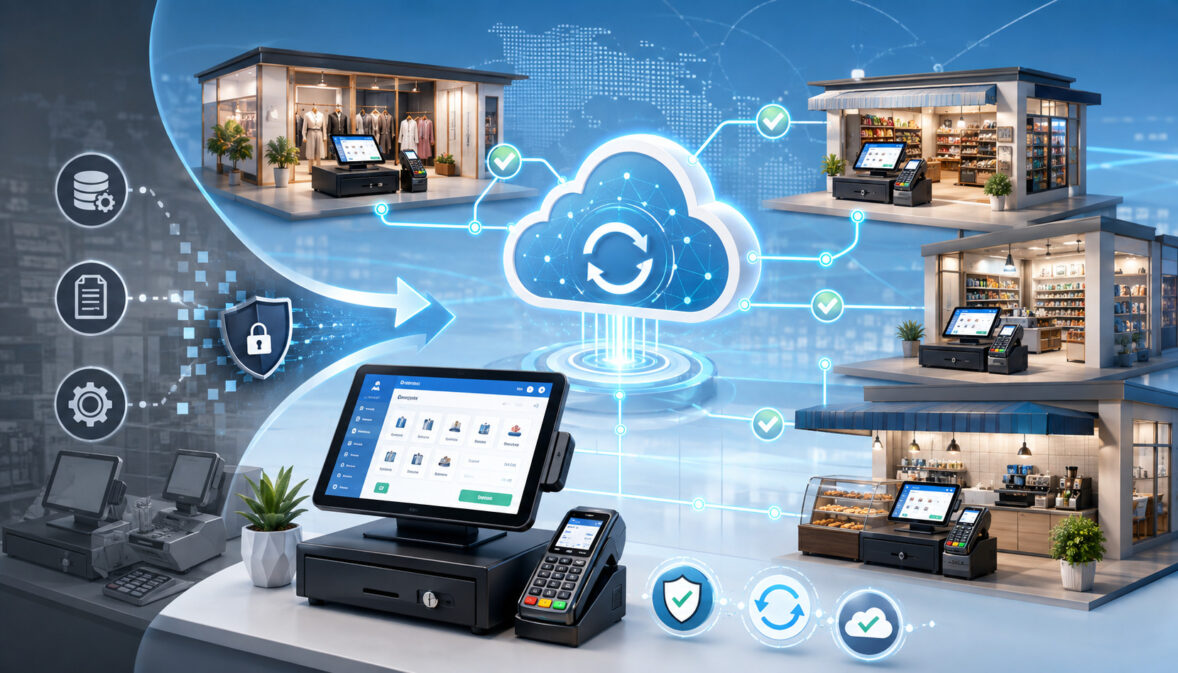
A cloud POS migration is the controlled movement of payment and store-operating functions from an existing POS environment into a centrally managed cloud-connected platform. The project may involve much more than replacing checkout software.
Depending on the merchant’s architecture, the migration can change POS applications, payment terminals, gateways, merchant routing, employee profiles, product catalogs, taxes, tender configuration, reporting, integrations, and settlement processes.
Merchants evaluating the technology side of the transition may also find this overview of understanding how cloud POS systems work useful when comparing cloud-connected platforms with more traditional POS environments.
Some businesses keep the same processor and merchant IDs; others change the gateway, acquirer, MIDs, terminals, or several layers at once.
A useful way to understand the architecture is to keep the identifiers separate:
- Merchant account: the commercial processing relationship under which card transactions are accepted.
- Merchant ID or MID: an identifier associated with the merchant’s processing setup; its exact structure depends on the acquirer or processor.
- Location/store ID: an operational identifier used to distinguish stores.
- Terminal ID: an identifier assigned to a payment acceptance endpoint or processing configuration.
- Device serial number: the manufacturer’s physical hardware identifier.
- Payment gateway: technology that routes payment messages between systems and processing services.
- Processor/acquirer: the organization or processing infrastructure responsible for handling merchant payment transactions.
- POS tenant/account: the merchant’s logical environment within the cloud POS.
- Employee/user profile: an identity and permissions record for an individual user.
- Tender type: the payment classification, such as cash, credit, gift card, or store credit.
- Tax rule: configuration determining how tax is calculated for applicable items or transactions.
- Business date: the operational date to which a merchant assigns transactions.
- Batch: a grouping of captured transactions submitted or prepared for processing.
- Settlement: the financial process through which transaction obligations are finalized and funds ultimately move through the payment ecosystem.
- Authorization: the issuer’s approval or decline of a payment request.
- Capture: the step that moves an authorized transaction toward clearing and settlement.
- Void: cancellation of a transaction before it completes the normal settlement flow, subject to provider rules.
- Refund: a separate credit transaction returning funds after an original purchase.
Because modern cloud POS platforms frequently connect payments with inventory, reporting, customer management, and other operational systems, merchants should also understand how cloud integration in modern POS systems affects the broader migration architecture.
Visa and Mastercard both distinguish authorization from later clearing and settlement stages, which is why seeing an “approved” response at a terminal is not enough to prove that an implementation is financially correct.
Businesses considering a broader merchant-platform transition can also review this background on planning a cloud-based merchant platform migration, including phased deployment, integration testing, data preparation, and staff training.
Why Multi-Location POS Cutovers Are Harder Than Single-Store Migrations
A 20-store deployment is not simply a one-store installation repeated 20 times. Every location can contain differences that affect payments or operations.
One store might have a different MID because it belongs to a separate legal entity. Another may use a different tax configuration, settlement account, internet provider, receipt printer, kitchen display system, menu, employee roster, or closing schedule.
Restaurants may have open tabs and tip adjustments. Retailers may have gift cards, inventory transfers, barcode scanners, ecommerce pickup orders, and cross-store returns. Franchise operations may include independently owned merchant accounts even though the POS configuration is centrally administered.
Cloud systems add centralized visibility, but centralization also increases the cost of configuration errors. If a bad tax rule, tender code, catalog entry, or payment-routing template is pushed across many locations, a single mistake can become a chain-wide problem.
Cloud-integrated POS platforms commonly connect transaction processing with inventory, accounting, ecommerce, CRM, and centralized reporting, making integration validation particularly important during deployment.
For this reason, the right deployment unit is not “the company.” It is the individual store inside a controlled corporate architecture.
Build a Location-by-Location Inventory Before Cutover
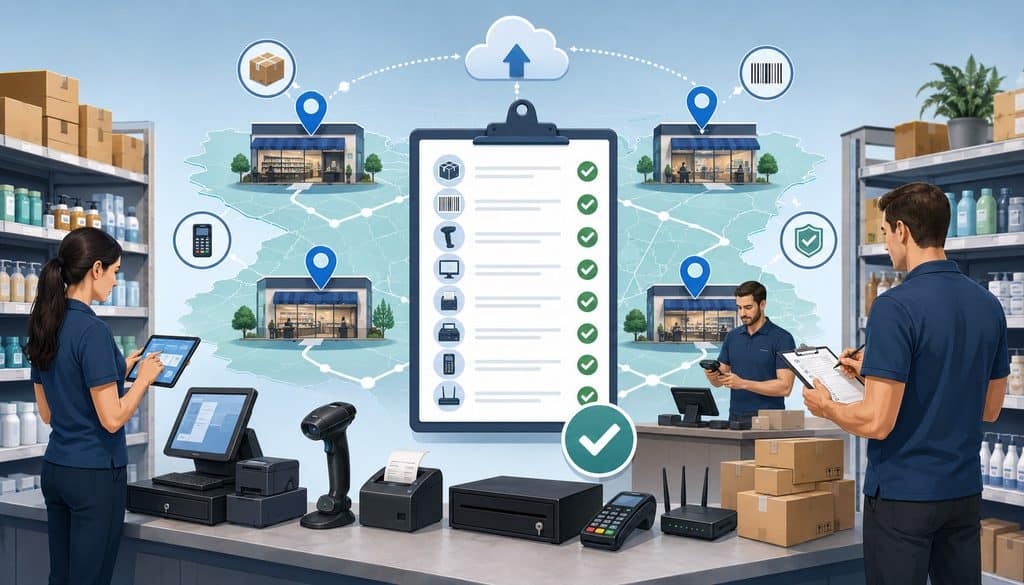
The strongest cloud POS implementation plans begin with an inventory that answers one question: What exactly must continue working at this store when the old environment is removed from production?
Do not depend on screenshots, old onboarding notes, employee memory, scattered email threads, or assumptions that every location was configured identically. Build a controlled source of truth.
At minimum, inventory each location’s legal and payment structure, including:
- legal entity
- DBA/store name
- internal location ID
- merchant account
- masked MID
- processor/acquirer
- gateway
- settlement destination
- terminal IDs
- device serial numbers
- processing channels
- current POS hardware
- receipt printers
- cash drawers
- barcode scanners
- kitchen printers or kitchen displays
- customer-facing displays
- network equipment relevant to POS connectivity
- primary internet connection
- backup connectivity
- employee accounts
- roles and permissions
- tax rules
- tender types
- gift cards
- store credit
- discounts
- loyalty
- tips or service charges where applicable
- integrations
- open orders or tabs
- historical reporting access
- refund requirements
- stored credentials or recurring-payment dependencies where applicable
Do not put complete bank account numbers in a migration workbook unless there is a legitimate, securely controlled requirement. A safer tracking field is simply “settlement account verified,” accompanied by a controlled reference understood by finance.
| Location | MID | Settlement Account Verified | Terminals | Network Ready | Taxes Verified | Users Ready | Cutover Status |
| Store A | ****4821 | Yes | 4 | Yes | Yes | Yes | Ready |
| Store B | ****1974 | Yes | 6 | Yes | Yes | No | Hold |
| Store C | ****7740 | Pending | 3 | Yes | Yes | Yes | Hold |
The inventory should also identify data that does not need to migrate. Moving unnecessary customer or payment-related information increases complexity and potentially expands security exposure.
FTC security guidance recommends understanding what sensitive data an organization holds, where it resides, who can access it, and whether it needs to be retained.
Create a Configuration Source of Truth
The migration source of truth should contain the approved configuration that implementation teams will actually deploy. Ideally, every important field has an owner, verification status, last-review date, and exception note.
Use controlled values rather than informal descriptions. For example, “Store 14 – taxable prepared food rule A” is far more useful than “tax should be the same as before.”
Changes should be traceable. If finance changes the settlement mapping, operations changes the store number, or the processor replaces a MID, the workbook or migration database should show the approved current value rather than leaving multiple versions in circulation.
This configuration baseline also makes rollback and troubleshooting faster. When Store 14 reports that payments are appearing under Store 41, the command center should be able to compare the deployed state with the approved mapping immediately.
Map Merchant IDs, Terminals, Users, Taxes, and Tenders Correctly
A reliable hierarchy for a multi-store POS migration is:
Legal Entity → Store → MID → Terminal/Device → User → Tender/Tax Configuration
The hierarchy does not mean every merchant uses one MID per store or one terminal ID per physical device. Those relationships depend on the acquirer, processor, gateway, and merchant architecture. The purpose is to document the actual relationship rather than assume one.
Incorrect MID mapping is especially serious because it may affect settlement, reporting, transaction ownership, refunds, chargeback handling, reconciliation, or merchant descriptors.
| Store | Legal Entity | Legacy MID | New MID | Processor | Settlement Destination | Verified? |
| Store A | Entity 1 | ****3104 | Same | Processor A | Finance Ref. 01 | Yes |
| Store B | Entity 1 | ****2298 | ****5173 | Processor A | Finance Ref. 02 | Yes |
| Store C | Entity 2 | ****9021 | ****8842 | Processor B | Finance Ref. 03 | Pending |
Merchant Account Changes vs. POS-Only Migration
Not every merchant platform migration changes the payment-processing relationship.
A merchant might keep its existing processor and MID while changing only the POS application. Another merchant might keep the processor but introduce a new gateway or payment application. A broader transformation could involve a new processor, new merchant IDs, new terminals, and a new settlement configuration.
Merchants making a broader technology change can also review how cloud-based payment processing works and how cloud platforms can connect transaction processing with reporting, management tools, and other business systems.
The more layers that change together, the harder it becomes to isolate problems. A payment decline could result from a device-provisioning issue, gateway configuration, MID setup, network connectivity, terminal software, processor configuration, or the card issuer rather than the POS application itself.
Where practical, reduce simultaneous variables or increase testing accordingly. During a major payment system rollout, maintain a documented architecture showing who owns each configuration layer.
Terminal and Device Mapping
Before devices are shipped or installed, map:
Location → Register → Terminal → Device Serial → Terminal ID/MID → Network Connection
Label hardware using store and register identifiers that employees and implementation teams understand. Do not use exposed sensitive payment credentials as physical labels.
Device staging should include serial-number verification, enrollment or remote provisioning, software updates, payment application checks, peripheral testing, and confirmation that the processor-required activation process is complete.
PCI SSC maintains standards and listings relating to point-of-interaction devices and encourages merchants and acquirers to consider approved PTS POI devices for payment environments.
User and Permission Mapping
Map users deliberately:
Legacy Employee → New Employee ID → Role → Location → Permissions
Cashiers may need sales, tender, and receipt functions. Supervisors may need limited overrides. Managers may require refunds or specific administrative workflows. System administrators should be restricted to people who actually need elevated configuration access.
Migration is an ideal time to remove former employees, generic administrators, unnecessary manager privileges, and shared credentials. NIST defines least privilege as providing only the access required to perform assigned functions, while FTC guidance similarly recommends limiting access according to legitimate business need.
Tax Configuration Validation
Taxes should never be copied casually from one store to another. Location, product category, transaction channel, exemptions, tax-inclusive pricing, delivery rules, or temporary tax treatments can differ according to applicable law and merchant circumstances.
The migration team should therefore validate each configured tax rule against the merchant’s approved tax requirements. Do not rely on the POS vendor to determine a merchant’s legal tax obligations unless that responsibility is explicitly part of the service.
Before go-live, create controlled test baskets and compare:
Legacy Expected Tax → Approved Requirement → New POS Expected Tax
Test representative taxable, nontaxable, discounted, and exempt scenarios where they are actually relevant to the business.
Tender, Gift Card, and Store Credit Mapping
Tender configuration affects more than what appears on the checkout screen. Tender codes may feed general-ledger accounts, clearing accounts, reconciliation reports, inventory systems, or payroll processes.
| Legacy Tender | New Tender | Payment Rail | GL Mapping | Refund Supported? | Verified? |
| Visa/MC Card | Card | Processor | Card clearing | Yes | Yes |
| Cash | Cash | N/A | Cash on hand | Yes | Yes |
| Gift Card | Gift Card | Stored value | Gift-card liability | Provider-specific | Yes |
| Store Credit | Store Credit | Internal | Store-credit liability | Policy-specific | Pending |
Gift cards deserve separate attention. Their balances may live inside the legacy POS, a third-party gift-card platform, a processor, or another hosted service.
Never assume those balances migrate automatically. Confirm issuance, redemption, balance inquiries, expiration handling where applicable, reporting, and refund interactions before launch.
Validate Data, Integrations, Networks, and Hardware Before Go-Live
A multi-location cloud POS depends on more than payment terminals. The migration may involve catalogs, SKUs, menus, modifiers, barcodes, inventory units, customer data, loyalty, ecommerce, accounting, payroll, scheduling, delivery services, kitchen systems, ERP applications, or reporting warehouses.
For catalogs and menus, validate identifiers as well as visible descriptions. A product with the correct name but the wrong tax category, inventory unit, modifier mapping, or GL code can create downstream errors.
Do not automatically import every historical record. Decide what must be operational in the new POS, what can remain in a secure archive, and what should continue to be accessed through the legacy portal.
For broader information about how cloud POS environments connect centralized data, multi-location operations, inventory, and other business applications, see this overview of cloud integration in modern POS systems.
Network Readiness and Backup Connectivity
Cloud-based payment systems depend heavily on connectivity. Every site should test primary internet service, local Ethernet or Wi-Fi, firewall behavior, DNS resolution where relevant, cabling, power, device reachability, and any required connections to cloud or payment services.
A backup connection is useful only if it actually works with the deployed architecture. A cellular router sitting in a cabinet is not a fallback plan unless failover has been configured, tested, and confirmed to support the necessary devices and services.
Offline functionality is equally provider-specific. Some platforms offer limited offline operation; others may not. Offline transactions can involve delayed authorization, declined transactions when connectivity returns, synchronization issues, or duplicate-processing risk.
Use only the documented capabilities and risk controls of the POS and processor. Never invent a universal offline limit or assume offline mode automatically activates.
Stage Hardware Before Shipping
A good POS terminal deployment process prepares devices before a store’s scheduled cutover.
Staging should include:
- label by store and register
- verify model and serial number
- enroll device
- install approved updates
- verify payment application
- link the appropriate processing configuration
- connect and test peripherals
- include required power supplies, mounts, cables, and adapters
- document installation steps
- package equipment by location
Avoid sending a box of identical unassigned terminals to 40 stores and asking employees to determine which device belongs where.
Pilot the Migration and Define Go/No-Go Criteria
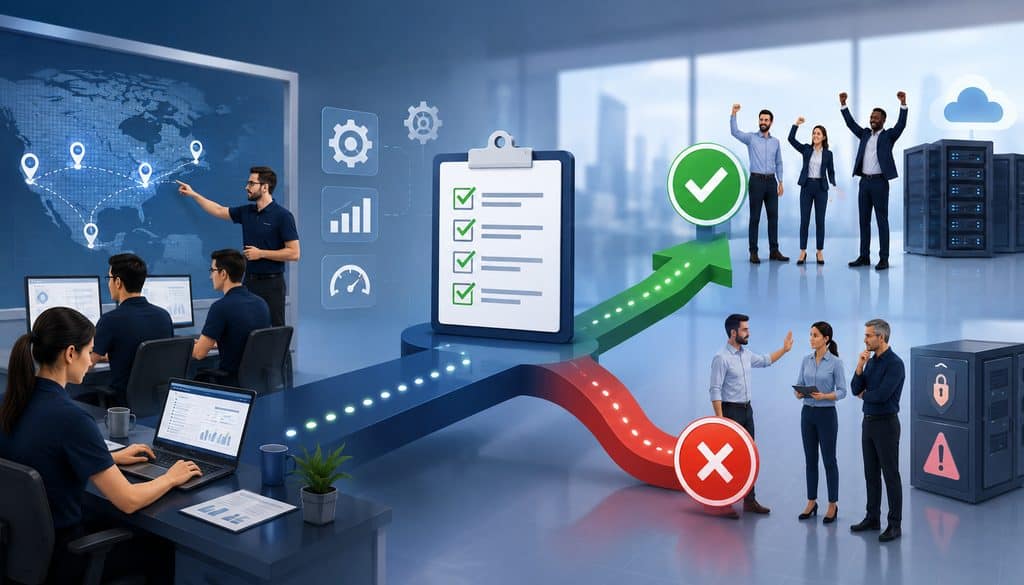
A pilot location should expose real complexity rather than merely being the easiest store in the chain. A useful pilot might include normal transaction volume, representative tenders, integrations, typical network architecture, refunds, gift cards, and realistic staffing.
Some merchants need more than one pilot. A restaurant chain might choose a table-service location and a quick-service location; a retailer might choose a standard store plus one with ecommerce pickup or unique tax treatment.
Cloud migration guidance also commonly recommends a phased approach because it allows teams to identify problems before deploying them broadly.
| Approach | Advantage | Main Risk |
| Big-bang | Fast organizational transition | Systemic errors can affect every store simultaneously |
| Regional waves | Easier support concentration | Regional differences may still hide later issues |
| Store-by-store | Maximum control | Longer overall rollout |
| Pilot + waves | Combines learning with scale | Requires disciplined wave gates |
Before a store enters the go-live queue, require explicit confirmation that its MIDs, devices, network, taxes, tenders, users, integrations, support coverage, training, reconciliation process, and rollback capability are ready.
A useful go/no-go rule is binary: if a critical dependency is unverified, the location is not ready merely because the implementation calendar says it should be.
What Test Transactions Should Be Run Before Go-Live?
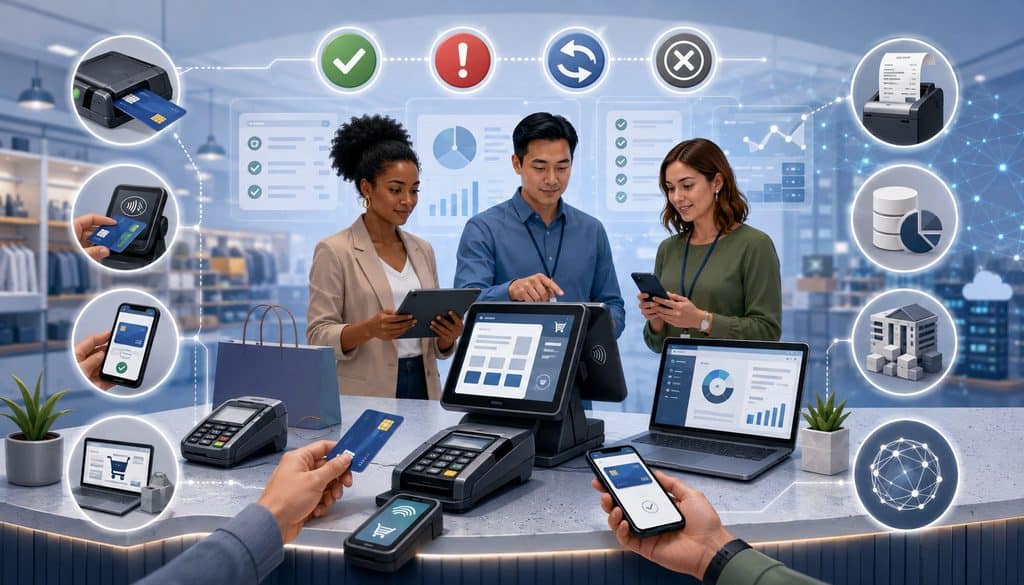
Testing must prove both store operations and payment flow. The exact tests depend on the merchant’s accepted payment methods, processor, POS functionality, and business model.
A representative pre-go-live matrix may include:
- EMV/chip sale
- contactless sale
- supported debit transaction
- mobile wallet
- cash transaction
- legitimate keyed/manual entry if supported and required
- void
- refund
- partial refund
- tip adjustment
- discount
- applicable tax-exempt workflow
- gift-card issuance/redemption
- store credit
- split tender
- receipt print
- electronic receipt
- loyalty earning/redemption
- online order
- inventory change
- end-of-business-day process
- processor reporting
- batch/capture behavior
- settlement/reconciliation reporting
| Test | Expected Result | POS Result | Processor Result | Settlement/Report Verified? |
| EMV sale | Approved and recorded once | Pass | Pass | Pending |
| Contactless | Correct tender and receipt | Pass | Pass | Pending |
| Refund | Original transaction handled correctly | Pass | Pass | Yes |
| Cash sale | Drawer and tender total update | Pass | N/A | Yes |
| Gift card | Correct balance movement | Pass | Platform pass | Yes |
Use documented, controlled test transactions that can be readily identified and reconciled. Do not perform unnecessary charges on customer cards or use real customer credentials simply to populate test data.
Authorization Is Not Settlement Testing
A transaction that receives an approval has passed only part of the payment lifecycle. Visa describes separate authorization, clearing, and settlement stages, and Mastercard likewise distinguishes authorization, clearing, and settlement.
Therefore, the strongest validation follows the transaction through:
POS Record → Authorization → Capture/Batch → Processor Report → Settlement → Bank/Reconciliation
Where full settlement cannot be proven before production cutover, establish a specific post-launch verification checkpoint.
Test Refunds and Legacy Refund Workflows
Refund testing is critical because the customer may return after the old POS has been retired from normal use.
Determine how stores will handle:
- purchases created in the new POS;
- purchases created in the legacy POS;
- cross-location returns;
- transactions processed through a legacy processor or MID.
A cross-system refund workflow should identify the legacy receipt or transaction, determine the approved refund path, preserve the connection to the original payment method where required, document authorization, and post the accounting entry correctly.
Do not assume the new POS can automatically retrieve or refund old transactions.
Handle Open Tabs and Stored Credentials Separately
Restaurants and hospitality businesses should decide before cutover whether open checks must be closed, left in the legacy system, or deliberately recreated in the new environment.
Never recreate a payment that may already have been authorized without confirming transaction status.
Stored cards, recurring transactions, and tokenized payment credentials also require a separate migration plan. Processor or gateway tokens are not inherently portable between platforms.
This overview of tokenization across store, mobile, and online payments provides additional background on how token-based payment architectures can span channels.
Cutover-Day Runbook and Final Legacy Batch
A cutover-day runbook should use operational phases rather than assume a universal clock time:
- Pre-close readiness
- Final legacy processing
- Legacy batch close
- Controlled configuration freeze
- New POS activation
- Smoke tests
- Normal transaction opening
- Enhanced monitoring
- First settlement verification
Each location should have an assigned owner who changes its status from ready to cutover, validating, live, reconciled, or rollback.
How Should Batch-Close Timing Be Handled on Cutover Day?
There is no universal correct batch-closing time. The merchant must coordinate the final legacy process with its POS provider, processor/acquirer, finance team, and operating schedule.
Before closing the final legacy batch, determine:
- the legacy system’s business-day process
- processor capture or settlement cutoff behavior
- open checks/orders
- outstanding tip adjustments
- pending captures
- unresolved authorizations
- legitimate refunds
- final transaction totals
- applicable end-of-day procedures
The final legacy close should include required open-transaction completion, tip finalization where appropriate, pending-transaction review, report generation, batch identification, and preservation of final totals.
Do not shut down the old system merely because the last customer transaction was approved.
Dual-System Cutover Reconciliation
A transition day may legitimately produce two groups of transactions:
Legacy Batch + New POS Batch = Complete Business-Day Activity
That is not necessarily a failure. It becomes a problem when accounting cannot determine which transactions belong to which system.
| Location | Legacy Sales | New POS Sales | Refunds | Total Expected | Deposits/Settlement |
| Store A | $8,100 | $4,900 | ($180) | $12,820 | Verify |
| Store B | $5,700 | $6,300 | ($120) | $11,880 | Verify |
Also distinguish the POS business date, processor settlement date, and bank deposit date. They can differ, particularly around processor cutoffs, weekends, holidays, or merchant-specific configurations.
Pro Tip: Save the final legacy sales report, tender report, batch reference, refund activity, and first new-POS transaction reference together. That package gives finance a clear boundary between systems.
Validate the First Live Transactions at Every Store
No store should be declared live merely because its login screen appears.
The first approved production validation should verify:
- correct store
- correct MID/routing
- correct terminal assignment
- correct amount
- appropriate tax
- correct tender
- receipt output
- POS reporting
- processor reporting
- device connectivity
Where available and appropriate, also confirm the expected merchant descriptor behavior through the processor’s approved reporting or transaction information.
A smoke test is a deliberately small set of essential checks performed immediately after activation. It is not a replacement for pre-go-live testing; it verifies that the production configuration matches what was tested.
Do not activate every store simultaneously unless the implementation team has sufficient visibility and support capacity. A disciplined retail POS rollout or restaurant POS migration makes store status visible in real time.
A cutover command center should track:
| Store | Cutover Owner | POS Status | Payment Status | Network | Issue | Severity | Support Owner | Rollback Decision |
Stage Staff Training and Support Escalation
The technical platform may be centrally managed, but the first people to experience a problem are usually store employees.
Training should cover everyday actions and failure procedures:
- login
- sale
- payment
- receipt
- cash drawer
- void
- refund
- discount
- manager override
- gift card where applicable
- approved network/payment failure procedure
- whom to contact
- what not to change
Cashiers, managers, finance, IT teams, implementation leads, and system administrators need different training.
How Should Support Escalation Paths Be Staged?
Use a clear, role-based chain such as:
Store Staff → Store Manager → Regional/Implementation Lead → POS Support → Processor/Acquirer → Network/IT Team
The exact order depends on the issue. A login problem should not be sent immediately to an acquirer, while a suspected settlement-routing issue should reach payment and finance specialists quickly.
| Problem | First Contact | Escalation | Information Needed |
| Terminal offline | Store manager/help desk | POS or network team | Store, terminal, connectivity status |
| Unexpected card declines | Implementation lead | Processor/acquirer | Transaction references, response details |
| Wrong tax | POS/configuration team | Finance/tax owner | Items, store, expected treatment |
| MID/settlement concern | Payment lead | Processor/acquirer + finance | Store, masked MID, transaction references |
| Login problem | POS admin | Vendor support | User, role, store |
| Integration outage | IT/integration owner | Vendor/API team | System, timestamps, error logs |
Schedule additional coverage around rollout windows. Store managers need operational help, technical teams need diagnostics, processor support should be reachable for payment-routing questions, and finance should be available for reconciliation.
Employees should not troubleshoot payment systems blindly. Avoid uncontrolled retries, factory resetting terminals without authorization, changing merchant routing, or modifying firewall and security configurations simply to “see if it works.”
What Is the Rollback Plan if a Store Cannot Process?
A POS rollback plan is a predefined procedure for returning a location to an approved operating state when the new platform cannot safely support business.
The rollback plan should identify:
- failure conditions
- decision authority
- legacy hardware availability
- legacy user access
- legacy processor access
- payment routing
- open transaction ownership
- order/inventory synchronization
- batch ownership
- customer communication
- reconciliation steps
Qualitative rollback triggers may include payment authorization being unavailable, a critical tax defect, suspected wrong-MID routing, widespread device failure, or an essential integration being unavailable.
Do not create universal numeric thresholds. A failure that is tolerable for one store may be business-critical for another.
Keep the Legacy Environment Recoverable
Do not immediately decommission the old POS, processor portal, hardware, credentials, or historical reporting just because the first new transaction succeeds.
For an agreed transition period, preserve the components needed for approved fallback, legacy refunds, reporting, accounting, disputes, and investigation.
Rollback should follow a controlled sequence:
Detect Critical Failure → Stop/Contain → Preserve Transaction State → Decide Rollback → Restore Approved Legacy Flow → Test → Reopen → Reconcile Both Systems
The incident lead—not an individual cashier—should authorize changes to payment routing.
Prevent Duplicate Transactions During Rollback
A payment timeout or application error does not always mean the transaction failed. If a store retries a transaction before checking its status, the customer may be charged twice.
Maintain transaction references such as:
- order number
- POS transaction ID
- processor transaction ID
- system source
- timestamp
- amount
In API-connected systems, idempotency controls can help prevent an identical payment request from being processed repeatedly when a client retries after a timeout. The exact implementation must follow the gateway or processor’s API documentation.
PCI DSS and Secure Outage Handling During Migration
A payment migration does not suspend PCI DSS responsibilities. The transition period can actually create additional risk because technicians have temporary access, devices are being shipped and installed, user accounts are changing, and teams may be tempted to create shortcuts under time pressure.
Merchants should continue applying the applicable PCI DSS requirements for protecting payment account data throughout staging, installation, cutover, troubleshooting, and post-launch operations.
PCI SSC’s current document library lists PCI DSS v4.0.1 as the current PCI DSS standard.
Migration controls should include approved payment hardware, controlled user access, secure remote support, logging, payment-data minimization, device inventory, and physical terminal inspection.
PCI SSC states that PCI DSS Requirement 9.5 addresses maintaining a list of deployed point-of-interaction devices, periodically inspecting them for tampering or substitution, and training relevant personnel to recognize attempted tampering or replacement.
Secure Remote Support and Administrator Access
Remote implementation access should be limited to authorized personnel using approved tools. Access should exist only as long as needed and should be logged and protected with strong authentication appropriate to the environment.
The FTC’s business guidance on access control and secure remote access likewise recommends restricting sensitive access according to business need and protecting remote connections used by employees and service providers.
FTC business-security guidance recommends restricting administrative access, securing remote access, and limiting access according to need.
PCI guidance also addresses the management of third-party remote-access accounts and their activation only when needed in applicable environments.
Avoid shared administrator identities. Confirm which active employees require elevated privileges, then remove unnecessary legacy accounts after the new system has stabilized.
Never Write Down Card Numbers During an Outage
A payment outage does not justify collecting full card credentials on paper, spreadsheets, messaging apps, unsecured text files, or employee notes for later entry.
Use only approved fallback methods supported by the merchant’s processor, POS, security policies, and applicable payment requirements. If cards cannot safely be processed, the merchant should use its authorized non-card fallback procedures rather than create an insecure card-data storage process.
FTC guidance emphasizes limiting retention of sensitive information and protecting payment-related data appropriately.
Reconcile the First Business Day Before Declaring Success
A store processing sales is not enough. A successful payment system cutover must also prove that the financial records reconcile.
For every location, follow:
POS Gross Sales → Tender Totals → Processor Transactions → Batch → Fees/Adjustments → Expected Deposit
| Location | POS Card Sales | Processor Card Sales | Refunds | Batch Total | Expected Deposit | Difference |
| Store A | $12,540 | $12,540 | ($220) | $12,320 | Verify per processor | $0 |
| Store B | $9,870 | $9,720 | ($100) | Investigate | Investigate | $150 |
Do not declare the migration financially complete until the expected settlement behavior and first applicable bank deposit are verified.
A merchant can process an approved transaction under the wrong store or MID and discover the mistake only when finance reviews processor reporting. That is why POS transaction reconciliation is part of deployment rather than an afterthought.
Reconcile Cash, Gift Cards, Tips, and Taxes Separately
Cash does not appear in processor settlement and should therefore be reconciled independently against drawer activity and POS tender reports.
For gift cards, verify issuance, redemption, balance movement, and liability reporting. Restaurants should reconcile sales, card tips, tip adjustments, payroll exports where applicable, and processor settlement.
Tax reconciliation should compare representative old and new results against the approved configuration. Investigate unusual differences before the next rollout wave.
Validate Corporate Roll-Up and Accounting Integrations
Multi-location reporting should map stores consistently into a hierarchy such as:
Corporate → Region → Location → MID
A store that can process successfully but does not appear correctly in corporate dashboards still has a deployment problem.
Verify the new dashboard’s sales, tenders, refunds, taxes, device status, employee activity, and location mapping. Accounting integrations should correctly populate store dimensions, revenue accounts, tender clearing, tax liabilities, gift-card liabilities, and processor-fee treatment.
ERP and data-warehouse feeds also need production verification after cutover. Test ecommerce, BOPIS, loyalty, and other omnichannel routing carefully when those systems share store-level inventory or order state.
Businesses examining the broader architecture can also review how cloud-based merchant services connect payment processing and integrated business tools.
Manage Legacy Refunds, Disputes, and Historical Reporting
A new POS does not erase obligations created in the previous system.
Customers may request refunds for purchases made before migration. Chargebacks may arrive against legacy transactions. Finance may need old settlement reports, while auditors or tax professionals may need historical transaction information.
For that reason, establish a retention and access plan before closing the old environment.
Define:
- how a new-POS refund is processed
- how a legacy transaction is located
- which system handles legacy refunds
- whether cross-store refunds are permitted
- who can access old processor reports
- how old chargebacks are handled
- how long historical reports must remain accessible based on business, contractual, tax, and legal requirements
Do not close a legacy merchant account prematurely. Outstanding settlement, refunds, disputes, or reporting obligations may still depend on it.
Historical POS data does not necessarily have to be imported into the new system. In many migrations, maintaining controlled access to the old reporting portal is more practical than forcing years of transaction records into a platform that uses a different data model.
First-Week Monitoring and Wave Control
The first settlement should not end the project. For the first operating period after each wave, monitor payment failures, POS errors, device outages, refund problems, tax discrepancies, reporting gaps, support tickets, and settlement differences.
Classify issues according to business impact rather than inventing universal numerical thresholds:
- Critical: threatens payment continuity, financial routing, security, or material transaction integrity.
- High: significantly impairs store operation but has an approved workaround.
- Normal: localized or noncritical issue that can be corrected through normal support.
Maintain a root-cause log:
| Issue | Locations | Impact | Root Cause | Fix | Owner | Closed? |
| Printer mapping | 3 | Receipts routed incorrectly | Wrong configuration template | Corrected mapping | POS team | Yes |
| Tax category | 1 | Incorrect item tax | SKU mapping | Catalog correction | Finance/POS | Yes |
| Missing dashboard store | 2 | Corporate reporting gap | Location hierarchy | Remapped stores | Data team | No |
After every wave, ask what failed, what slowed employees, what test case was missing, where escalation broke down, and whether another store could encounter the same defect.
Use a temporary change freeze where practical. Avoid nonessential pricing, tax, network, menu, hardware, or integration changes during the most sensitive migration windows.
Multi-Location Cloud POS Cutover Checklist
The following schedule is a practical planning framework rather than a mandatory timeline. A merchant should adjust the sequence to its store count, operating hours, payment architecture, processor requirements, technical complexity, and vendor deployment model.
30+ Days Before Cutover
- Build the location-by-location inventory.
- Confirm legal entities and store identifiers.
- Document merchant accounts and masked MIDs.
- Verify settlement destinations with finance.
- Map terminals and device serial numbers.
- Confirm whether MIDs or processors are changing.
- Document gateway and processor architecture.
- Inventory tax rules and tenders.
- Review gift cards, loyalty, store credit, and discounts.
- Inventory integrations.
- Map menus, SKUs, PLUs, modifiers, and barcodes.
- Identify open-order and historical-data requirements.
- Assess primary and backup connectivity.
- Stage hardware.
- Create user and role mappings.
- Build support and escalation architecture.
- Design reconciliation reports.
- Define rollback criteria.
- Select pilot locations.
Final Week
- Compare production configuration with the approved source of truth.
- Confirm every store’s MID and payment routing.
- Verify device assignments.
- Validate tax configuration.
- Validate tender mapping.
- Run representative test transactions.
- Test refunds and voids.
- Validate gift cards and store credit where applicable.
- Test key integrations.
- Test backup connectivity where supported.
- Verify employee access.
- Train store staff and managers.
- Confirm implementation and processor support coverage.
- Distribute quick-reference guides.
- Review unresolved legacy transactions.
- Freeze avoidable configuration changes.
- Confirm rollback hardware and access remain available.
- Obtain final go/no-go approvals.
Cutover Day
- Confirm command-center staffing.
- Recheck store readiness.
- Process final legitimate legacy activity.
- Resolve open checks, tips, or pending captures as applicable.
- Follow the approved final batch-close procedure.
- Save legacy reports and batch references.
- Freeze transaction ownership between systems.
- Activate the new environment.
- Verify hardware and network connectivity.
- Run smoke tests.
- Confirm correct store and payment routing.
- Open normal transaction processing.
- Monitor each store individually.
- Escalate issues through the approved path.
- Roll back locations that meet defined failure criteria.
- Preserve transaction references for both systems.
First Day After
- Reconcile POS card sales to processor reporting.
- Compare legacy and new-system totals.
- Review refunds and voids.
- Verify cash separately.
- Verify gift cards where applicable.
- Reconcile tips where applicable.
- Compare tax results.
- Verify settlement routing.
- Confirm location reporting.
- Review first available deposit activity.
- Investigate differences before declaring financial success.
- Record issues and root causes.
First Week After
- Monitor payment errors and device issues.
- Review refund behavior.
- Review reporting integrity.
- Validate accounting and ERP feeds.
- Confirm ecommerce and omnichannel flows.
- Review support-ticket themes.
- Apply lessons before the next wave.
- Remove unnecessary temporary access.
- Deactivate obsolete legacy user accounts when appropriate.
- Maintain legacy systems needed for refunds, disputes, or reporting.
- Complete a formal post-wave audit.
Common Cloud POS Migration Mistakes
The most damaging migration mistakes are often basic configuration and process failures rather than advanced technical defects.
Common problems include failing to inventory every location, mapping the wrong MID, using the wrong settlement destination, shipping unconfigured terminals, neglecting refund testing, ignoring gift cards, applying an incorrect tax template, leaving shared user accounts active, and assuming backup connectivity works without testing.
Other avoidable mistakes include:
- closing the legacy batch incorrectly
- decommissioning the old POS too early
- having no rollback decision maker
- retrying unknown payment transactions repeatedly
- confusing authorization with settlement
- failing to validate the first deposit
- changing the processor, gateway, POS, network, and accounting system simultaneously without sufficient testing
- migrating every store at once without a pilot
- allowing local employees to change payment routing
- forgetting legacy refunds and chargebacks
- failing to preserve historical reporting
- not confirming corporate location roll-ups
A dependable POS implementation checklist focuses less on whether hardware was installed and more on whether the entire transaction lifecycle can be demonstrated and reconciled.
Questions to Ask the POS Provider and Processor
Before committing to a final POS deployment plan, obtain specific answers from the organizations responsible for the platform and processing environment.
Ask the POS provider:
- How are locations and MIDs mapped?
- Can locations use separate merchant accounts where required?
- How are terminals provisioned?
- Which device identifiers should we record?
- What happens when internet connectivity is lost?
- Is offline processing supported?
- What risks or limitations apply to offline transactions?
- How are pending offline transactions synchronized?
- Can hardware be staged before activation?
- Can production-like test transactions be performed before launch?
- How are users and roles migrated?
- How are tax rules mapped?
- Can historical transaction data be imported?
- How are legacy refunds handled?
- How do business dates and batch processes work?
- Which logs are available?
- What is the cutover escalation path?
- How is rollback performed?
- How long should legacy access remain available?
Ask the processor or acquirer:
- Will existing MIDs remain active?
- Are new MIDs required?
- How are terminals linked to merchant configurations?
- How can finance verify settlement routing?
- What are the merchant-specific capture or settlement cutoffs?
- Can legacy and new environments process temporarily during transition?
- How should legacy refunds be handled?
- What happens to open authorizations?
- Which reports should finance use during cutover?
- Can support validate a controlled authorization and capture?
- How should the final legacy batch be completed?
- When can the legacy merchant account safely be closed?
Do not accept general answers to merchant-specific questions when the implementation depends on them. Record the confirmed configuration in the migration source of truth.
Frequently Asked Questions
What is a cloud POS migration?
A cloud POS migration moves sales, payment, and store-management functions from an existing POS environment to a cloud-connected platform. It can involve software, terminals, payment gateways, merchant IDs, users, inventory, menus, taxes, tenders, integrations, and reporting.
The migration is complete only when stores can transact correctly and finance can verify payment routing, batches, settlements, and reporting.
How do you migrate a multi-location business to a cloud POS?
Start with a store-level inventory, create an approved configuration source of truth, map MIDs and terminals, validate taxes and tenders, prepare networks and hardware, test representative transactions, train employees, pilot the platform, close the legacy environment in a controlled manner, activate stores in waves, reconcile settlements, and maintain a rollback option until success criteria are met.
What should be inventoried before a POS cutover?
Inventory each location’s legal entity, store ID, merchant account, MID, terminal IDs, device serial numbers, processor, gateway, settlement destination, hardware, network, users, roles, taxes, tenders, gift cards, discounts, loyalty, integrations, open transactions, refunds, and historical-reporting requirements. The inventory should reflect the real store configuration rather than a presumed corporate standard.
How should merchant IDs be mapped during POS migration?
Document the real hierarchy from legal entity to store to MID to devices. For each location, verify whether the MID remains the same or changes, which processor owns it, which settlement destination applies, and which terminals use it. Never treat a MID, store ID, terminal ID, and device serial number as interchangeable identifiers.
Should every location have its own MID?
Not necessarily. MID architecture depends on the merchant’s legal structure, processor/acquirer configuration, reporting needs, risk setup, and contractual arrangement. Some merchants have separate MIDs by location, while others use different hierarchies.
The migration team should reproduce or deliberately redesign the approved merchant architecture rather than assume one MID model fits every business.
What transactions should be tested before POS go-live?
Test the tenders and workflows that the business actually uses. These may include EMV, contactless, debit, mobile wallets, cash, voids, refunds, partial refunds, tips, discounts, tax-exempt transactions, gift cards, split tenders, receipts, loyalty, and online orders.
Payment testing should ultimately verify authorization, capture, processor reporting, settlement, and reconciliation—not merely terminal approval.
How should the final legacy batch be closed?
Coordinate the process with the legacy POS provider, processor/acquirer, finance team, and store operations. Resolve legitimate open transactions, pending captures, tip adjustments, and applicable refunds, then follow the provider’s required close process.
Record final reports, batch references, and totals. There is no universal cutoff time that applies to every processor or merchant.
Can the old and new POS run at the same time?
Sometimes, but only when the merchant, POS vendors, and processor architecture support it. A controlled overlap may help transition stores, but transaction ownership must remain clear. Finance must know which system captured each transaction, which batch contains it, and how the combined legacy and new-POS totals represent the complete business day.
What should a POS rollback plan include?
A rollback plan should identify failure conditions, decision authority, legacy-system availability, payment routing, transaction-state preservation, hardware readiness, inventory/order considerations, customer communication, testing, and reconciliation. The objective is to restore an approved processing state without losing transaction visibility or creating duplicate payments.
What happens if a store loses internet during cutover?
Follow the documented capabilities of the POS and processor. A tested backup connection may restore service if the architecture supports it. Offline processing should be used only when the provider supports it and the merchant understands its risks and conditions. Employees should never collect full card numbers in insecure notes for later entry.
How do you prevent duplicate transactions during migration?
Track each transaction’s order number, POS transaction ID, processor reference, source system, amount, and timestamp. If a request times out, verify its status before retrying. In API environments, implement the payment provider’s supported idempotency controls. Employees should understand that an unknown transaction state is not the same as a confirmed decline.
How should legacy refunds be handled after cutover?
Maintain access to the old system or processor workflow needed to locate legacy purchases and issue approved refunds. Define how staff identify the transaction, confirm the original payment method, obtain required authorization, process the refund, and record it in accounting. Do not assume the new POS can refund transactions created in the old environment.
When can the old POS be decommissioned?
Only after the merchant’s agreed transition criteria have been met. That typically includes stable new-POS processing, verified settlement and deposits, functioning refunds, accessible historical reports, successful integrations, and an established method for legacy disputes.
Hardware or access needed for approved rollback or historical obligations should not be removed prematurely.
How should the first day’s settlements be reconciled?
For each location, compare POS gross sales and card tender totals with processor transactions, refunds, batch totals, settlement reporting, fees or adjustments where applicable, and the expected bank deposit.
Also reconcile cash, gift cards, tips, taxes, and legacy/new-system splits separately. Investigate unexplained differences before declaring the migration complete.
Should a multi-location POS migration happen all at once or in waves?
Both models are possible, but pilot-and-wave deployments often provide more opportunities to discover and correct systemic errors before they reach every store.
The best approach depends on the merchant’s architecture, store count, operational constraints, vendor capabilities, and support capacity. Each wave should have defined readiness and stop/go criteria.
Conclusion
A successful multi-location cloud POS migration is a transaction-continuity project, not an equipment swap.
The strongest implementation teams know the exact merchant account, MID, terminal, settlement destination, user, tax, tender, network, hardware, and integration configuration for every location before the first store is activated.
They test transactions through the full payment lifecycle, coordinate the final legacy batch, maintain a recoverable rollback path, stage staff support, and reconcile processor settlement before calling the rollout successful.
The practical framework remains:
Inventory → Data & Configuration Mapping → Merchant/Payment Validation → Hardware & Network Readiness → Test Transactions → Staff Training → Legacy Batch Close → Controlled Cutover → Live Transaction Validation → Settlement Reconciliation → Issue Escalation → Rollback if Needed → Post-Go-Live Audit
A merchant that follows that process cannot eliminate every possible outage or implementation issue, but it can avoid many of the failures that turn a manageable POS system cutover into lost sales, misrouted deposits, duplicate charges, broken refunds, accounting confusion, or days of cleanup.
Most importantly, treat every rollout wave as a learning opportunity. If one store exposes a mapping defect, failed integration, misunderstood refund workflow, or weak escalation path, correct the process before repeating the same mistake across the rest of the organization.
Operational, payment, tax, and security requirements vary by POS provider, processor/acquirer, merchant configuration, jurisdiction, and business model.
Confirm provider-specific batch, settlement, offline-processing, refund, security, tax, and implementation requirements with the appropriate POS vendor, processor, qualified security personnel, finance/tax advisers, and other responsible parties before production deployment.